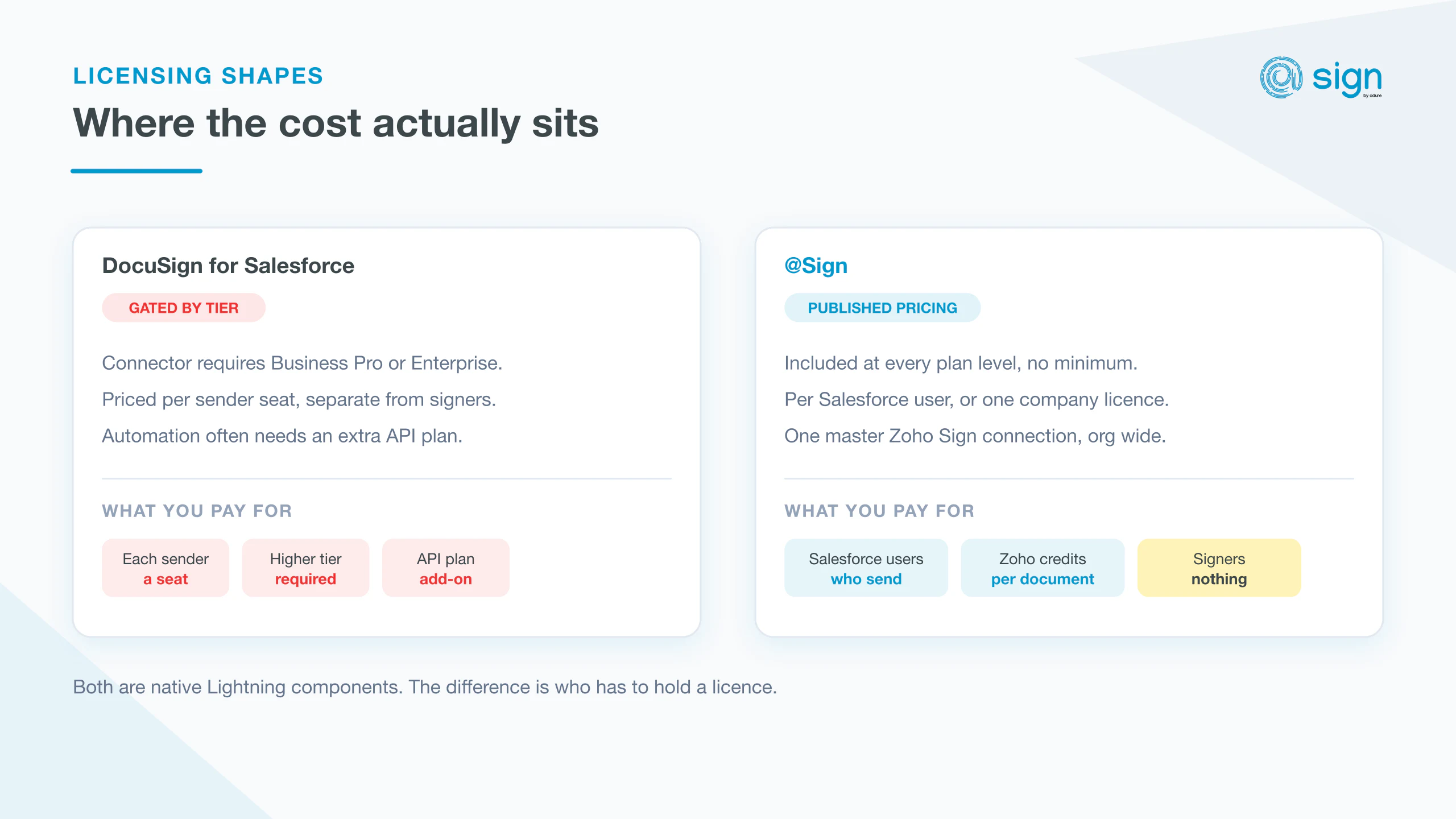
If you're looking for "DocuSign for Salesforce," you've probably already found DocuSign's own Salesforce connector — and run into the fine print. It's a capable product, but it's built for DocuSign's pricing tiers, not for a lean Salesforce org that just needs contracts signed from a record page. Here's what it actually includes, what it costs once you factor in seats and add-ons, and how a native alternative built directly on Salesforce compares.
What DocuSign's Salesforce Integration Actually Gets You
DocuSign for Salesforce connects your Salesforce org to DocuSign's e-signature platform, letting you send and track envelopes from Opportunity, Contract, or custom object records. It's mature and widely deployed. The catch is that the integration itself is often gated behind DocuSign's higher subscription tiers, and per-user Salesforce access on top of your DocuSign license is where the real cost shows up — especially once you count every internal user who needs to send a document, not just the ones who sign.
The Native Alternative
@Sign takes a different approach: instead of licensing DocuSign per user, it bridges Salesforce to Zoho Sign through a single master connection. Your team works entirely inside Salesforce — Lightning components, the @Sign Admin app, bidirectional field mapping — while the underlying e-signature engine runs on pay-per-use API credits instead of redundant per-signer licenses. For teams that send a moderate volume of contracts and don't need DocuSign's specific enterprise ecosystem (CLM, payment collection, deep Adobe/Microsoft integrations), the seat math works out very differently.
The core difference
DocuSign licenses per signer/sender on top of Salesforce access. @Sign licenses per Salesforce user, with a single master connection to Zoho Sign — no redundant per-signer licenses.
Why Teams Switch
Three reasons come up most often when Salesforce admins evaluate a move. First, pricing transparency — @Sign's plans are published, with no seat minimum or sales negotiation required to get started. Second, no per-signer licensing — the master Zoho connection means external signers never need their own paid seat. Third, native Lightning components.
When DocuSign Is Still the Right Call
To be fair to DocuSign: if you're already deep into DocuSign CLM, need its specific payment-collection or notary features, or your organization has standardized on it at a group-wide level, ripping it out for a smaller connector isn't worth the disruption. @Sign is the better fit for teams whose actual requirement is "get contracts signed from Salesforce, transparently priced, without paying for licenses signers never asked for."