Ask ten Salesforce admins where their contracts live and you will get ten different answers. The CRM holds the opportunity. A shared drive holds the signed PDF. Someone's inbox holds the negotiation. A spreadsheet holds the renewal dates, and it is almost certainly out of date.
That is the real problem. Most teams do not have a contract management problem so much as a contract visibility problem: the record of what was agreed lives somewhere other than the system the business runs on. This guide covers where that breaks down in Salesforce specifically, and a sensible order to fix it in.
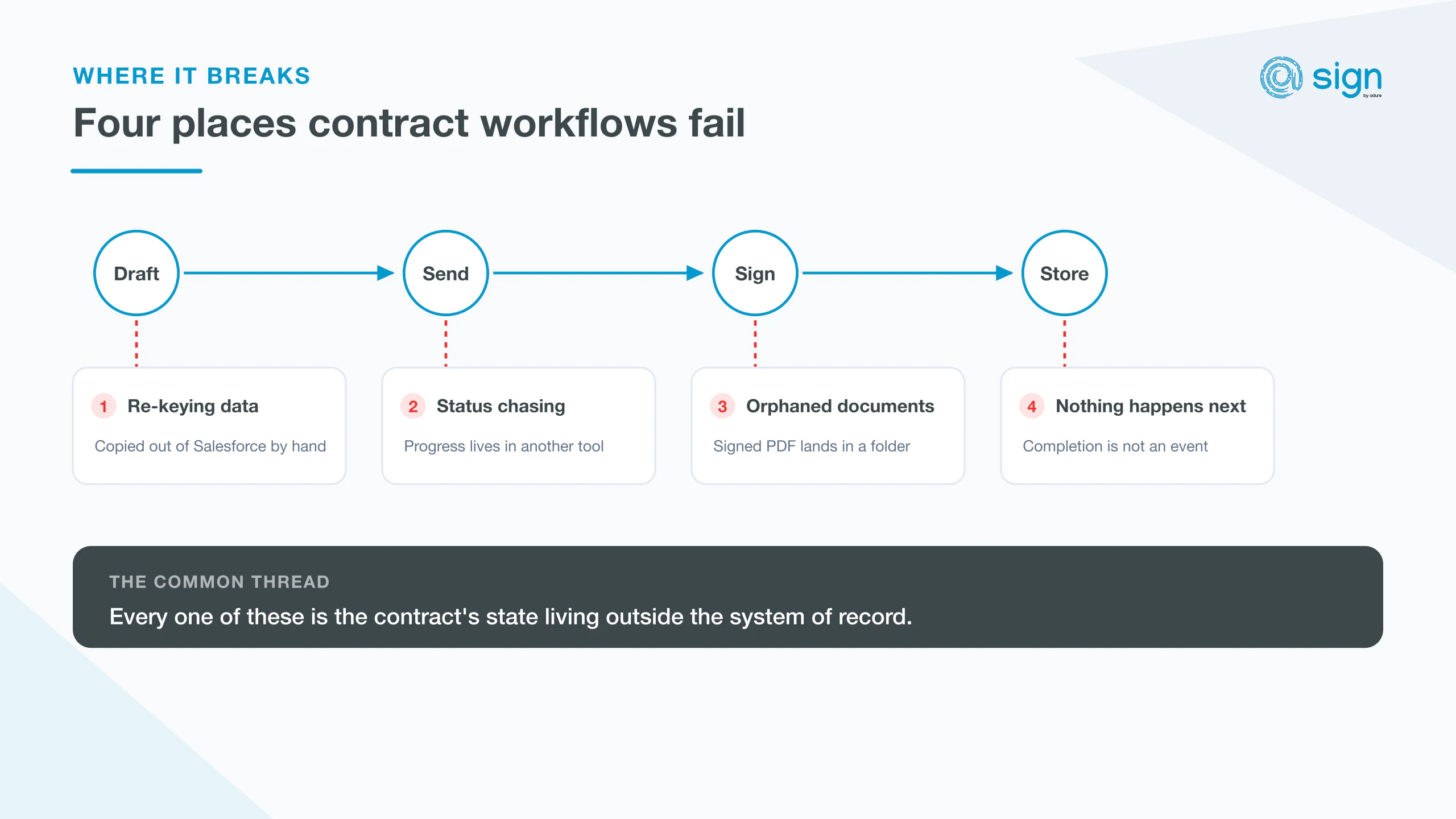
Four places Salesforce contract workflows break
1. Re-keying data. Someone copies the account name, address and deal value out of Salesforce and into a document. Every copy is a chance to introduce an error, and the error is discovered after signature, not before.
2. Status chasing. Once a document leaves for signature, its status lives in another tool. Sales asks ops, ops checks a separate dashboard, and the opportunity record says nothing useful. The information exists; it is just not where anyone is looking.
3. Orphaned documents. The signed PDF lands in a folder, an inbox, or the e-signature vendor's own archive. Twelve months later, at renewal or during an audit, nobody can find the executed version quickly, and no one is certain which draft was the final one.
4. Nothing happens after signing. A contract completing should be a trigger: provision the account, start the subscription, notify finance, set the renewal date. If completion is not an event Salesforce can see, every downstream step stays manual.
The common thread
Every one of these failures is the same failure: the contract's state lives outside the system of record. Fixing contract management in Salesforce is mostly about closing that gap, not about buying more features.
What to fix first
Resist the urge to start with templates. Document generation is the most visible problem and the least valuable one to solve first. A beautiful template still leaves you chasing statuses and losing PDFs.
Start with visibility instead. Get the status of every in-flight agreement onto the record it belongs to, so anyone opening the opportunity can see where things stand without asking. It is the cheapest change and it removes the most day-to-day friction.
Then storage: signed documents attached to the record, not to a folder. Then field mapping, so the data flows out of Salesforce and back in without anyone typing it twice. Automation on completion comes last, because it only pays off once the first three are reliable.
A note on licensing
Check how your e-signature vendor charges before you scale, and separate the two questions. The first is who inside your business needs a licence to send agreements. The second is whether your signers need one too, because per-signer pricing is what makes volume expensive rather than headcount. @Sign is licensed per Salesforce user or as a single company licence, and signing runs through one master Zoho Sign connection billed as API credits, so signers never need a licence of their own.
Where e-signature fits
E-signature is one step in the lifecycle, not the whole of it. It matters because it is the moment the agreement becomes binding, and therefore the moment the data is worth capturing properly: who signed, when, and against which record.
That is the case for handling signature inside Salesforce rather than beside it. @Sign connects Salesforce to Zoho Sign so requests are sent from the record, progress is visible on the record, and completed documents and signer data come back to the record automatically. If you want the mechanics, the setup documentation walks through the connection, field mapping and real-time status updates.